

School website accessibility is no longer optional or aspirational. A 2024 Department of Justice rule under the Americans with Disabilities Act set a specific technical standard, WCAG 2.1 Level AA, for the websites of public entities, including school districts, with firm compliance deadlines. At the same time, accessibility complaints and lawsuits against schools are rising, often triggered by the most ordinary content: an untagged PDF, an uncaptioned video, or an enrollment form a screen reader cannot complete. For districts, the question has shifted from whether the website must be accessible to how fast the gaps can be closed.
This post explains what the rules now require, why the risk is rising, and exactly where school websites tend to fail. We audit district sites for these issues and lead the remediation, and the failures are remarkably consistent from one district to the next. The good news is that most of them are fixable, and the highest-risk items are also the most common, which means a focused effort closes a large share of the exposure quickly.
WCAG 2.1 AAthe technical standard the 2024 ADA Title II rule points to for public school websites |
2026-2027the phased compliance deadlines for public entities, by size |
PDFs, video, formsthe three content types where district sites most often fail |
Quick answer:
- A 2024 Department of Justice rule under ADA Title II requires public school district websites to conform to WCAG 2.1 Level AA, with compliance deadlines phased by the size of the entity (larger entities were required to comply by April 2026, smaller ones by April 2027).
- Section 504 of the Rehabilitation Act imposes parallel obligations, and complaints to the Office for Civil Rights are a common enforcement path.
- Accessibility overlay widgets do not satisfy the requirement. Building accessibility into the platform and fixing documents, media, and forms is what closes the exposure.
School websites most often fail on three content types:
-
Untagged PDFs (board policies, menus, handbooks)
-
Videos without captions
-
Forms and payment tools that cannot be completed with a keyboard or screen reader.
Note: This post is educational, not legal advice. Accessibility obligations depend on your entity type, size, and jurisdiction, and the rules are evolving. Confirm what applies to your district with legal counsel.
Why the Accessibility Risk for Schools Is Rising Now
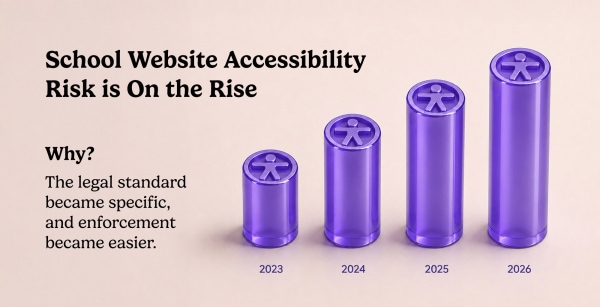
Two things changed at once: the legal standard became specific, and enforcement became easier. Districts that treated accessibility as a best practice now face a defined technical benchmark and a deadline.
For years, web accessibility law for schools was a matter of general nondiscrimination principles without a named technical standard. That ambiguity is gone. In 2024, the Department of Justice issued a final rule under Title II of the ADA (which covers state and local government entities, including public school districts) adopting WCAG 2.1 Level AA as the required standard for web content and mobile apps, with compliance dates phased by entity size. A specific standard plus a deadline is what turns "we should improve accessibility" into "we are measured against a benchmark on a date."
Enforcement has also become easier to initiate. Complaints to the Department of Education's Office for Civil Rights (OCR) under Section 504 of the Rehabilitation Act and the ADA can be filed by anyone, and a single inaccessible document or form can prompt one. Serial web-accessibility litigation, common against private businesses under ADA Title III, reaches private and independent schools as well. The result is a landscape where the standard is defined, the deadline is set, and the trigger can be a single parent who cannot read a board policy with a screen reader.
"Accessibility is not a feature you add at the end. It is a property of how the site is built. When a district comes to us after a complaint, the problem is almost never the visible design. It is the accumulated layer of documents, media, and forms that were published over years without anyone checking whether assistive technology could use them. That backlog is the risk, and it grows every time someone uploads another untagged PDF."
- Murad Bushnaq, CEO & Creative Director
Reviewed by Our Team
This post draws on accessibility audits and remediation for school and district websites, and on platform-level work to make accessibility the default rather than an afterthought.
 Murad Bushnaq, CEO & Creative Director (Accessibility & Digital Inclusion) - 25+ years in web design, 15+ across Morweb's four verticals. Guides platform decisions that make WCAG conformance the default for district sites. Provides the digital-inclusion and architecture perspective in this post.
 Brent Lafreniere, Digital Director (Audit & Remediation) - 19 years in digital across schools, nonprofits, associations, and healthcare. Audits district websites against WCAG and leads remediation. Provides the audit findings and the fix-it checklist in this post.
What Do the Accessibility Rules Actually Require of a School Website?
Public school district websites must conform to WCAG 2.1 Level AA under the 2024 ADA Title II rule, and Section 504 imposes parallel nondiscrimination obligations. The standard applies to the whole site, including documents, media, and third-party tools.
Three legal sources shape school website accessibility. The ADA (Americans with Disabilities Act) prohibits disability discrimination; Title II covers public entities like school districts, and the 2024 DOJ rule names WCAG 2.1 Level AA as the standard, with deadlines phased by size. Section 504 of the Rehabilitation Act of 1973 prohibits disability discrimination by recipients of federal funding, which includes public schools, and OCR enforces it. For private and independent schools, ADA Title III (public accommodations) is the usual path, and WCAG 2.1 AA is the practical benchmark courts reference.
WCAG (the Web Content Accessibility Guidelines) is the international standard for web accessibility, built on four principles: content must be perceivable, operable, understandable, and robust. Level AA is the conformance level regulators point to. Critically, the standard applies to more than the pages a designer built. It applies to the PDFs a district uploads, the videos it embeds, the forms it uses for enrollment and payments, and the third-party tools linked from the site.
The Phased Deadlines
The 2024 Title II rule sets compliance dates by entity size: larger public entities (those serving populations of 50,000 or more) were required to comply by April 2026, and smaller entities and special-purpose districts by April 2027. Whether a specific district falls into the earlier or later group depends on how the rule's population thresholds apply to it, which is a question for counsel. The takeaway for planning is that the runway is short and, for larger districts, already closed.
Where District Sites Fail First: PDFs and Documents
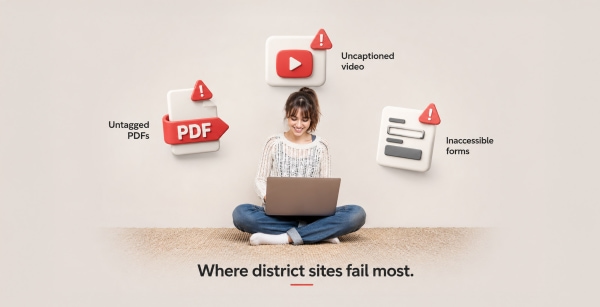
Untagged PDFs are the single most common accessibility failure on school websites. Board policies, handbooks, menus, newsletters, and forms uploaded as PDFs are often unreadable to assistive technology, and districts publish them constantly.
A PDF is accessible only if it is tagged: structured so a screen reader can identify headings, reading order, tables, and images. Most PDFs districts upload are not tagged. They are scanned documents, exported flyers, or print files that look fine visually but present as an unreadable block to a screen reader. Because districts publish a high volume of documents, board agendas, policy manuals, lunch menus, athletic schedules, enrollment packets, the untagged-PDF problem accumulates faster than any other, and each document is a potential complaint.
The most durable fix is to stop treating PDFs as the default. Content that lives in a PDF, a policy, a schedule, an announcement, is almost always better published as a native web page, which is easier to make accessible, easier to update, and easier to read on a phone. Where a document must remain a PDF, it needs to be properly tagged before it is uploaded.
What to Check
- How many PDFs are on your site, and were any of them checked for tags and reading order?
- Are scanned documents (image-only PDFs) posted anywhere? Those are unreadable to screen readers.
- Could high-traffic documents (menus, schedules, policies) be published as web pages instead?
Where Sites Fail Next: Video, Images, and Forms
After documents, the most common failures are uncaptioned video, images without alternative text, and interactive forms that cannot be completed with a keyboard or screen reader, which are also the highest-stakes because they block enrollment and payments.
Video is a growing risk as districts lean into student and campus storytelling. A video without captions excludes deaf and hard-of-hearing users and fails WCAG. Auto-generated captions are a starting point but are frequently inaccurate enough to fail on their own. Images that carry meaning, a flyer, an infographic, a photo with text baked into it, need alternative text; decorative images need to be marked as decorative so screen readers skip them.
Forms are the highest-stakes failure because they gate essential functions. Enrollment forms, registration forms, and online payment tools (for lunch accounts, fees, and activities) must be operable with a keyboard and understandable to a screen reader, with labeled fields and clear error messages. When these fail, a parent with a disability cannot enroll a child or pay a fee, which is both a legal exposure and a direct harm. Many of these tools are third-party embeds, which means the district's accessibility depends on vendors it did not vet for it.
What to Check
- Are all videos captioned accurately (not just auto-captioned)?
- Do meaningful images have alternative text, and are decorative images marked to be skipped?
- Can your enrollment, registration, and payment forms be completed with a keyboard and a screen reader?
- Which forms and tools are third-party embeds, and do those vendors document WCAG conformance?
"In audits, the forms are what worry me most. A parent can work around an untagged newsletter. They cannot work around an enrollment form they are unable to complete. And because so many district forms and payment tools are third-party embeds, districts inherit accessibility problems they did not create and cannot see. You have to test the whole path a parent takes, not just the pages you designed."
- Brent Lafreniere, Digital Director

Why Accessibility Overlay Widgets Do Not Make a District Compliant
The pop-up accessibility widget that promises instant compliance does not fix the underlying barriers and has been cited in accessibility lawsuits rather than preventing them. Districts that rely on an overlay are exposed while believing they are covered.
Accessibility overlays are third-party scripts that add an accessibility menu and claim to remediate a site automatically. They are marketed heavily to schools because they promise a fast, inexpensive answer to a hard obligation. But they do not fix untagged PDFs, they do not caption video, they do not make a broken form usable, and they can interfere with the screen readers and assistive tools people already use. Disability advocates and accessibility professionals have rejected them, and they have appeared in litigation as part of the problem, not the defense.
There is no widget that produces WCAG conformance. Compliance comes from accessible pages, tagged documents, captioned media, accessible forms, and a platform that makes those the default. An overlay is a false sense of security purchased in place of the actual work.
The District Accessibility Remediation Plan
You do not fix everything at once. You fix the highest-risk, highest-traffic items first, then put a process in place so the backlog stops growing. This is the order we use.
- Run a baseline audit. Use automated testing to find machine-detectable issues, then manual testing (keyboard and screen reader) for forms, navigation, and key tasks. Automated tools catch only part of the picture; the forms and documents need human testing.
- Fix the forms and payment tools first. These gate enrollment and payments and carry the highest harm and risk. Confirm keyboard and screen-reader operability, labeled fields, and clear errors. Press third-party vendors for their conformance documentation.
- Triage the documents. Convert high-traffic PDFs (menus, schedules, policies) to web pages. Tag the ones that must stay PDFs. Remove image-only scanned documents.
- Caption the video and fix images. Add accurate captions; add alternative text to meaningful images; mark decorative images to be skipped.
- Fix contrast and structure. Correct color contrast on critical text and buttons; ensure proper heading structure and keyboard navigation.
- Stop the backlog from growing. Put a publishing standard in place: no untagged PDF, no uncaptioned video, no image without alt text goes live. This is where the platform matters, because the default should make the accessible choice the easy one.
- Post an accessibility statement. Publish how users can report barriers and request accommodations, and respond to those requests promptly.
Common Mistakes Districts Make on Accessibility
The same avoidable mistakes appear across districts. Each one leaves exposure in place while creating the impression of progress.
- Buying an overlay and considering it done. It does not achieve compliance and can worsen the experience for the users it claims to serve.
- Relying only on automated scans. Automated tools miss the failures that matter most, especially in forms and documents. Manual testing is required.
- Treating accessibility as a one-time project. Every new PDF, video, and page can reintroduce barriers. Without a publishing standard, the backlog rebuilds itself.
- Ignoring third-party embeds. Enrollment, payment, and calendar tools you did not build are still your responsibility to the parent using them.
- Defaulting to PDFs. Publishing routine content as PDFs instead of web pages creates the largest and fastest-growing part of the problem.
School Website Accessibility: Common Questions
What accessibility standard do school websites have to meet?
Public school district websites must conform to WCAG 2.1 Level AA under the Department of Justice's 2024 ADA Title II rule, with compliance deadlines phased by entity size (larger entities by April 2026, smaller by April 2027). Section 504 of the Rehabilitation Act imposes parallel obligations. Private schools are generally addressed under ADA Title III, where WCAG 2.1 AA is the practical benchmark. Confirm what applies to your district with counsel.
Are PDFs a problem for accessibility?
Yes, untagged PDFs are the most common accessibility failure on school websites. A PDF is accessible only if it is tagged so a screen reader can read headings, order, and images. Scanned, image-only PDFs are unreadable to assistive technology. The most reliable fix is to publish routine content (menus, schedules, policies) as native web pages instead of PDFs, and to tag any document that must remain a PDF.
Do accessibility overlay widgets make a school website compliant?
No. Overlays do not fix the underlying barriers, are rejected by many users of assistive technology, and have been cited in accessibility lawsuits. They do not tag PDFs, caption video, or repair broken forms. WCAG conformance comes from accessible pages, documents, media, and forms, not from a widget.
Can a single complaint trigger an accessibility investigation?
Yes. Complaints to the Department of Education's Office for Civil Rights under Section 504 and the ADA can be filed by anyone, and a single inaccessible document, form, or video can prompt one. This is why the accumulated backlog of untagged documents and uncaptioned media, not just the visible site design, is the real exposure.
What should a district fix first?
Fix the forms and payment tools first, because they gate enrollment and payments and carry the highest harm and legal risk when they fail. Then triage documents (convert high-traffic PDFs to web pages), caption video, fix images and contrast, and put a publishing standard in place so new barriers stop being added. Priority order matters because it closes the most exposure fastest.
Who is responsible for third-party tools embedded on our site?
The district is responsible for the experience a parent has on its website, including third-party enrollment, payment, and calendar tools embedded in it. You should require accessibility conformance documentation from those vendors and test the full task path, not just the pages your team built. Inherited accessibility problems are still your exposure.
More on building an accessible and compliant school website:
Nonprofit Web Accessibility: Make Your Site User-Friendly. Learn the core ADA and WCAG accessibility standards, common website barriers, and practical steps organizations can take to make their sites more inclusive and compliant.
Best School Websites of 2026 – Learn From These Top School Web Design Examples. See how modern school websites incorporate accessibility, including proper contrast, keyboard navigation, screen-reader support, captions, alt text, and clear content structure.
What is Digital & Web Accessibility? Understand the key accessibility standards, including WCAG and ADA, and how accessible design helps ensure your website works for people of all abilities.
Does your district site meet WCAG 2.1 AA?
Our team will audit your site against the standard the 2024 ADA rule points to, test your forms and documents the way assistive technology does, and give you a prioritized remediation list you can act on and share with your board. A starting audit and plan, not legal advice. No pitch unless you ask for one.
Request an Accessibility Audit